Plan in seconds, not minutes.
Stategraph Velocity accelerates Terraform plan and apply. Seconds, not hours. Your HCL, modules, and providers carry over.
See it in action
The Stategraph CLI — fast plans, blast radius analysis, SQL queries over infrastructure, and automated refactors.
Want to see it on your infrastructure? Book a walkthrough
Real numbers. Real state file.
Benchmarked against an 800 MB Terraform state file with ~4,200 resources across 100 modules. Full methodology.
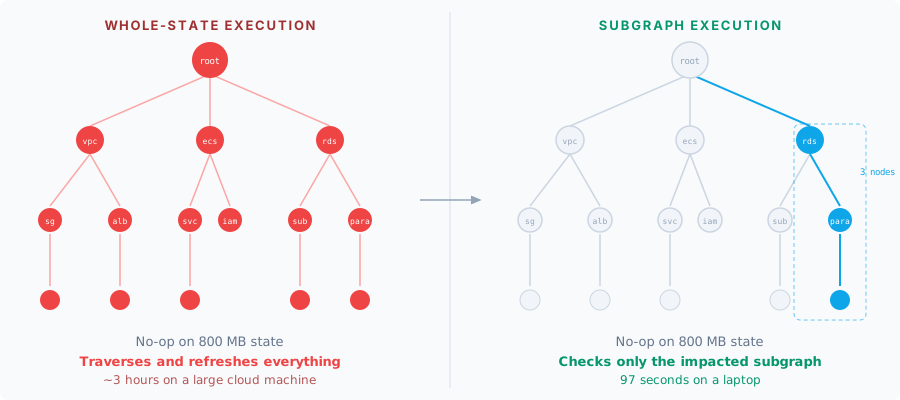
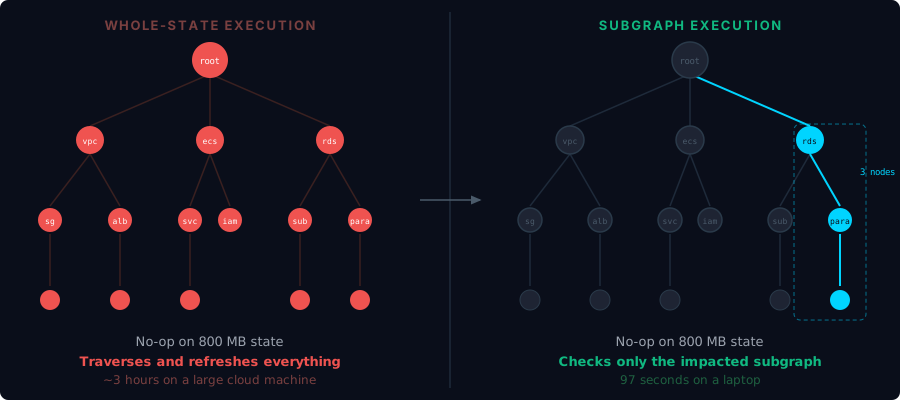
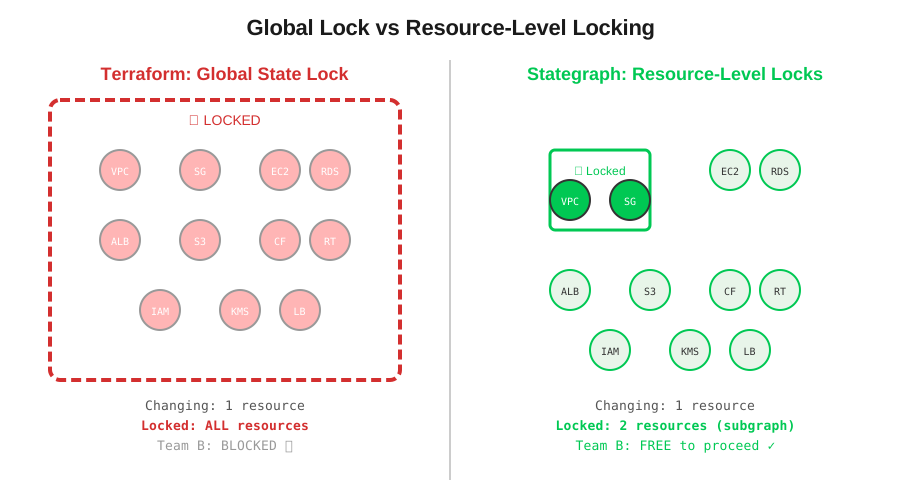
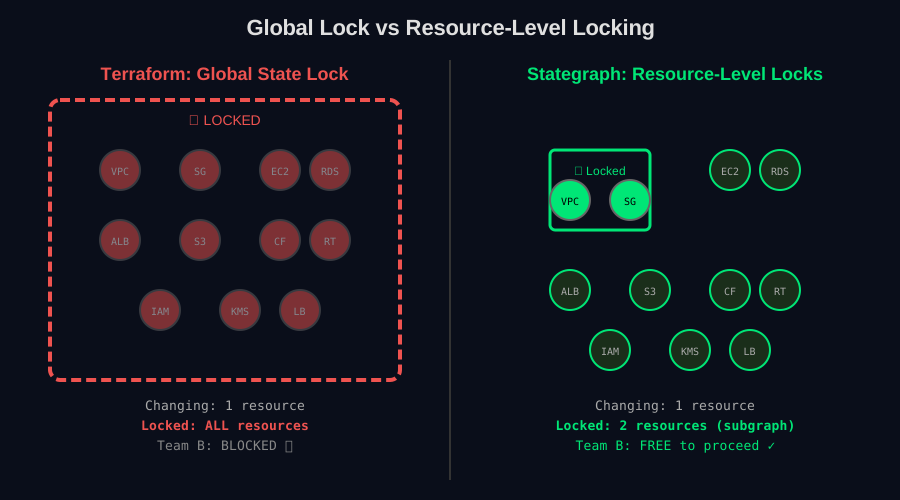
The difference is architectural. Terraform treats the entire state as the unit of work: global lock, full graph traversal, whole-state refresh on every operation. Stategraph narrows the unit of work to the minimal affected subgraph.
How it actually works
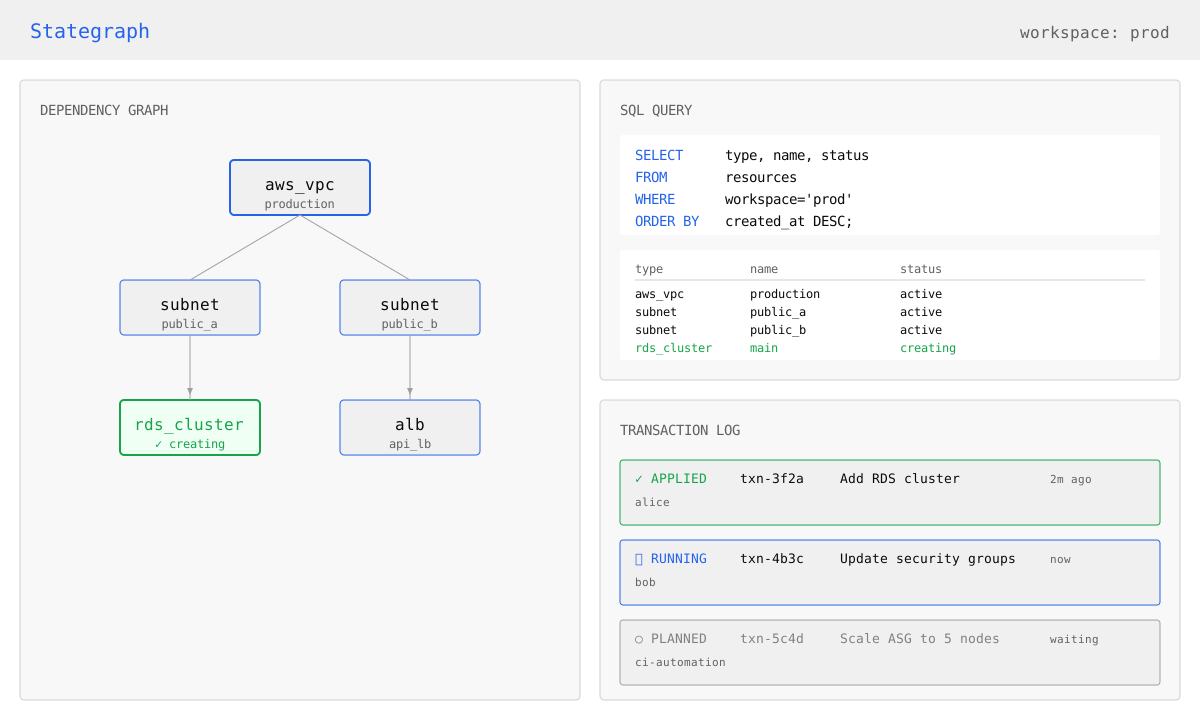
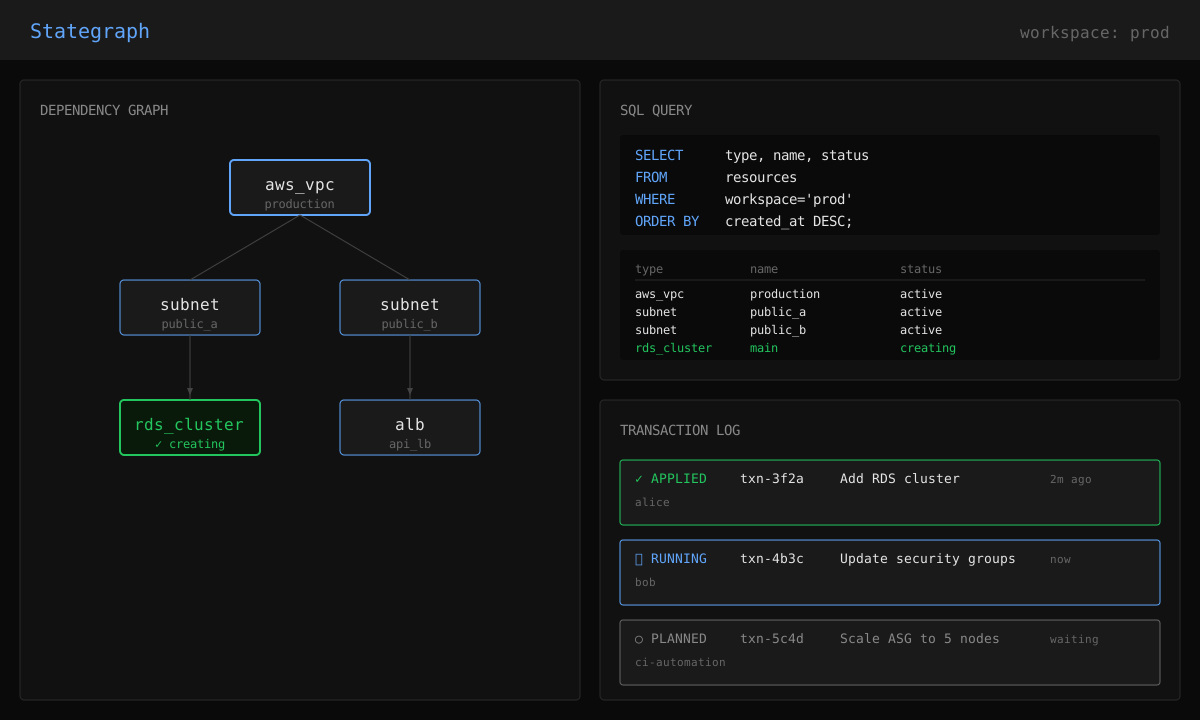
Stategraph replaces the flat JSON state file with a PostgreSQL-backed dependency graph. Here is what changes under the hood.
Only touch what changed
When you run stategraph plan, a recursive SQL query walks the dependency graph to identify the minimal affected subgraph. Change an aws_vpc? Stategraph resolves only the VPC and its dependents, not the other 4,192 resources.
Resource-level locking, not global state lock
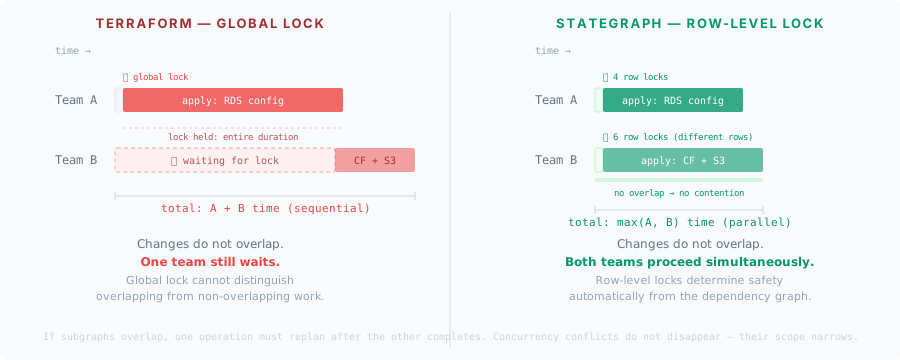
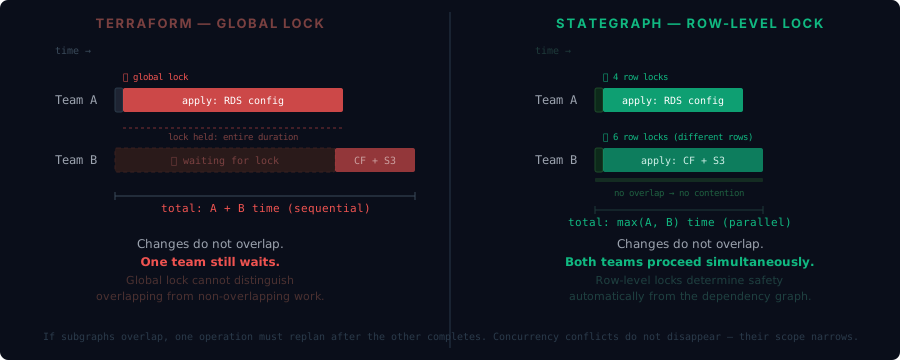
Traditional backends lock the entire state file. One person changing an EC2 tag blocks everyone else from planning against 2,000 other resources. Stategraph locks individual resources. Two engineers touching non-overlapping resources run in parallel with zero contention.
Your existing Terraform underneath
Stategraph delegates to the native terraform or tofu binary for provider execution. No custom providers, no HCL changes, no shims. Your .tf files, your modules, your providers, unchanged.
See the difference
Watch how Stategraph parallelizes your infrastructure operations
Traditional Backend
Stategraph
Three commands to migrate
Import your existing state and keep the same plan/apply workflow. Start with a local diagnostics run to see how your repo fits.
More than fast plans
Graph-based state unlocks capabilities that flat files cannot support.
Blast radius before you apply
See the full downstream impact of any change before running plan. Stategraph walks the dependency graph and returns every resource at each distance from the target.
Query infrastructure with SQL
Your infrastructure is in PostgreSQL. Query it directly with SQL, the built-in query interface, to audit resources, find drift, or answer ad-hoc questions across your entire fleet.
Refactor without terraform state mv
Rename resources and reorganize modules. Stategraph detects the changes and generates moved blocks automatically.
Atomic multi-state transactions
Plan and apply across multiple state files in a single atomic transaction.